> ## Documentation Index
> Fetch the complete documentation index at: https://anaconda.com/docs/llms.txt
> Use this file to discover all available pages before exploring further.
# How to search anaconda.org
As of November 20, 2025, connecting Navigator to Anaconda.org with the **Connect** button is deprecated.
Instead, use the [Anaconda Cloud connection](/docs/legacy/anaconda-navigator/tutorials/connecting-to-cloud), [log in with the CLI](/docs/anaconda-org/maintainer-guide/getting-started) using `anaconda login --at anaconda.org`, or use the **Login via cloud** option described below in the **If necessary, sign into Anaconda.org** dropdown.
To search [anaconda.org](https://www.anaconda.org) for packages using [Anaconda Navigator](/docs/legacy/anaconda-navigator/getting-started):
1. Click **Connect**.
2. Click **Sign in** beside Anaconda.org.
If you don't yet have an account, you can create one here.
You must verify your Anaconda.org email to use Navigator while connected to Anaconda.org.
3. Click **Login via cloud**.
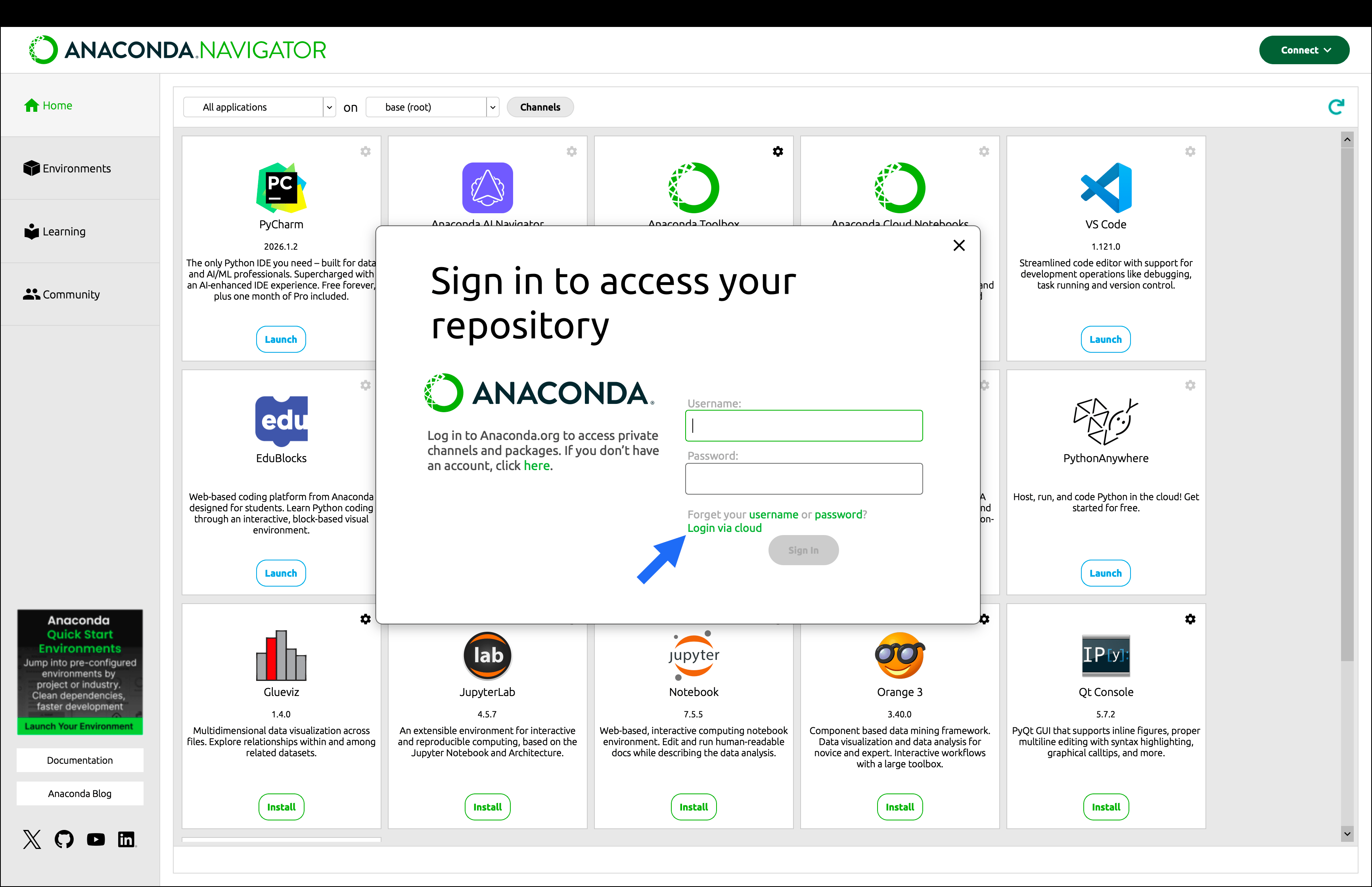 You are automatically logged in to Anaconda.org.
1. Open the **Environments** page.
2. In the package list filter dropdown, select *All* to search all packages on anaconda.org.
3. In the **Search Packages** field, type the name of the package you want to search for on anaconda.org.
You are automatically logged in to Anaconda.org.
1. Open the **Environments** page.
2. In the package list filter dropdown, select *All* to search all packages on anaconda.org.
3. In the **Search Packages** field, type the name of the package you want to search for on anaconda.org.
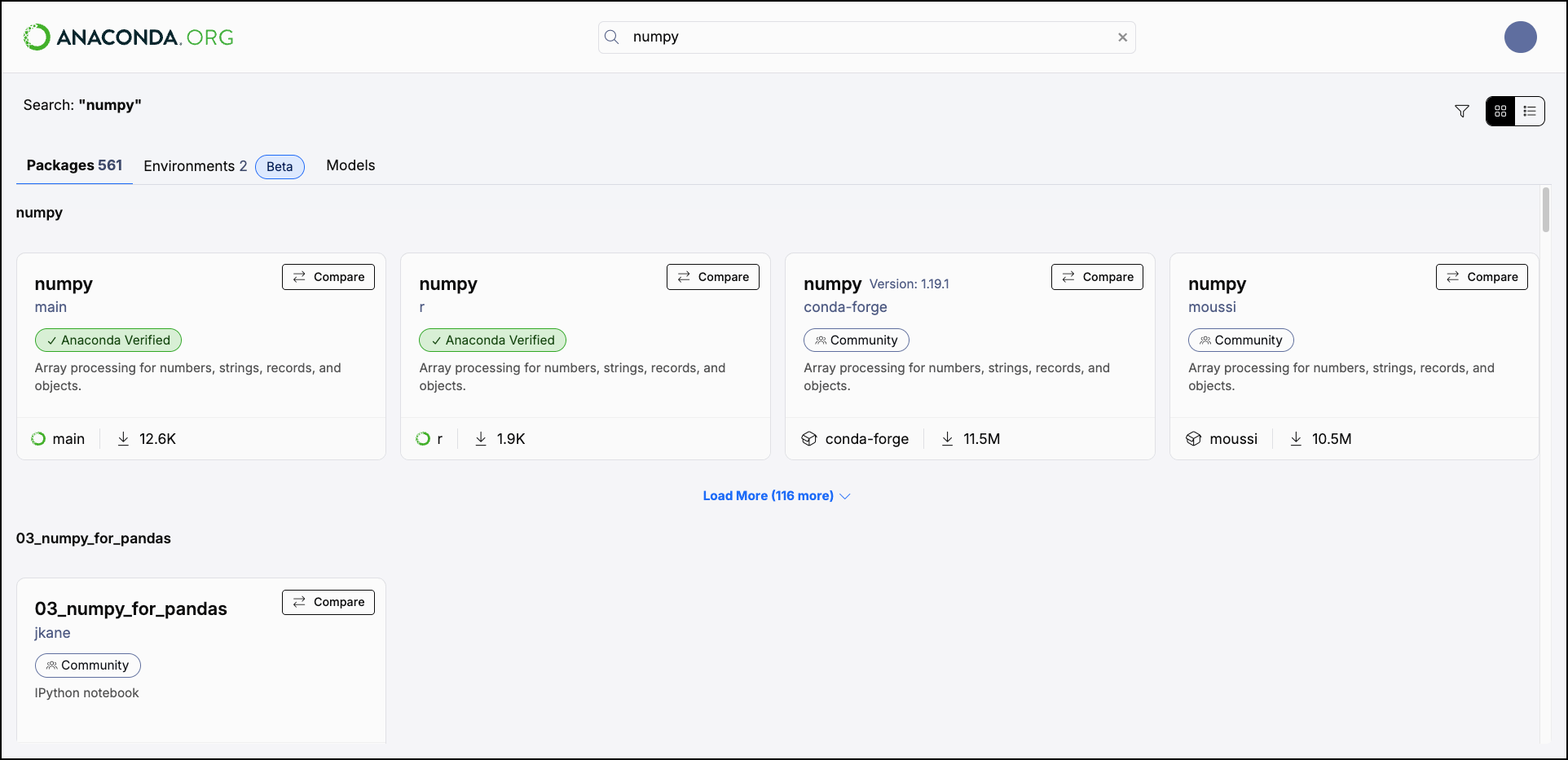 All packages containing the characters typed into **Search Packages** will appear in the package list below.
For more information on installing and using the packages you find on Anaconda.org, see [Package installation for Anaconda](/docs/legacy/anaconda-navigator/getting-started#managing-packages).
All packages containing the characters typed into **Search Packages** will appear in the package list below.
For more information on installing and using the packages you find on Anaconda.org, see [Package installation for Anaconda](/docs/legacy/anaconda-navigator/getting-started#managing-packages).